Building Haroon: an AI agent that turns email into approved website changes
How I connected Python, Codex and private MCP tools to prepare website changes from email, request owner approval, and verify the live result.
An email asking for a small website change can start a surprisingly long chain of work: read the request, understand what it means, find the relevant setting or source file, make the change, check it, publish it, and tell everyone what happened.
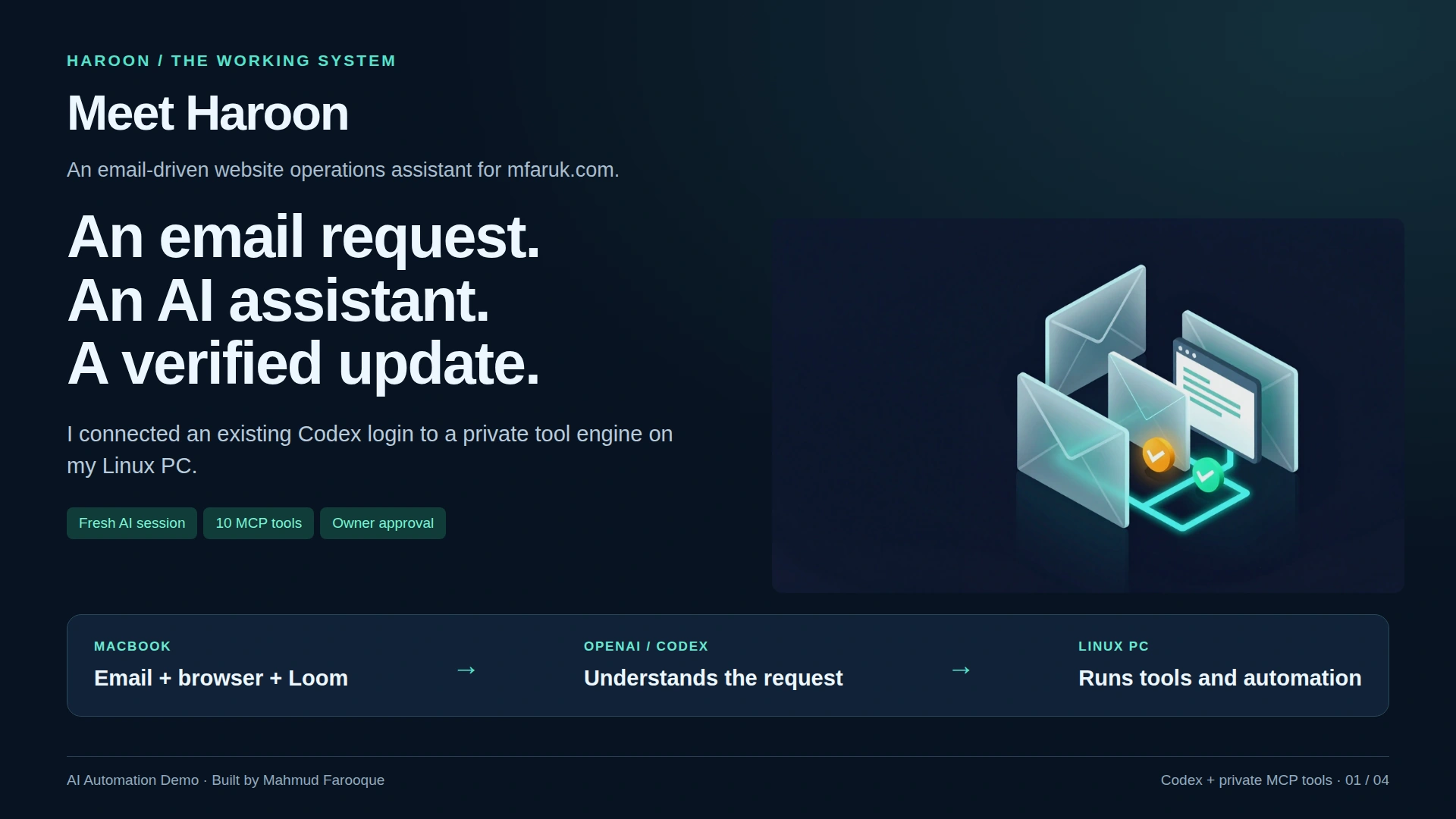
On 27 October, I built Haroon to connect those steps. Haroon is an email-driven AI assistant for my own website, mfaruk.com. It can interpret a supported request, prepare a proposal, and pass it to the website owner for approval. A separate automation engine controls publication and checks the result in a browser.
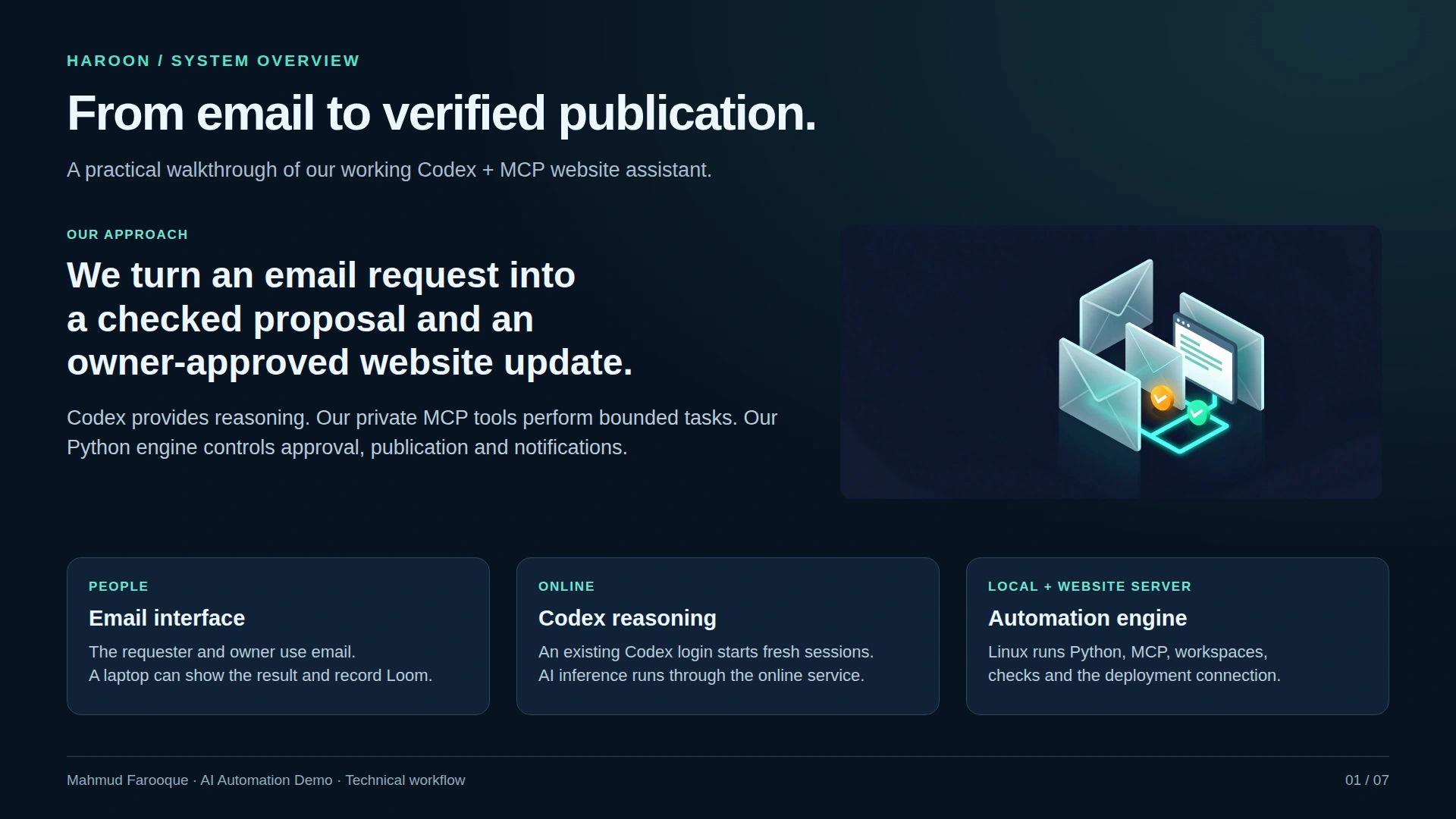
The useful part is the connection between understanding a request and carrying out a checked workflow. The model handles interpretation and preparation; the surrounding software controls what can reach the live site.
Email as the interface
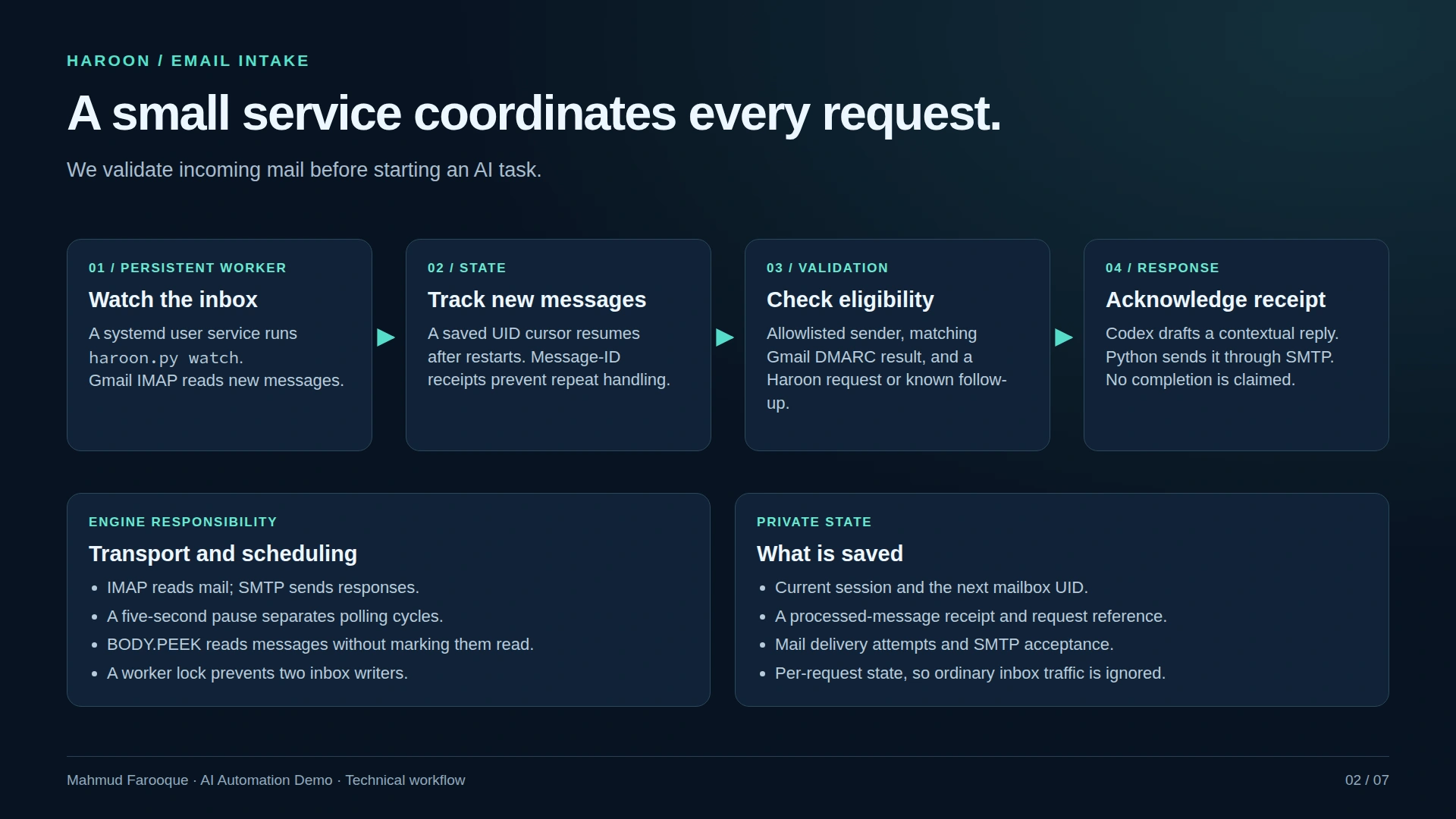
I wanted the requester to use an ordinary email conversation. They address a website request to Haroon, receive an acknowledgement, and later receive an update. The owner receives the proposal and can approve or decline it in the corresponding email thread.
Behind that conversation, a Python worker reads incoming mail through IMAP and sends responses through SMTP. It keeps a persistent message cursor and uses a worker lock to avoid running competing inbox processors. Only configured senders and requests within the demo's scope are accepted.
The worker runs on my Linux PC. For the demonstration, I can show the email conversation and website on my laptop while the PC performs the work.
Giving the model tools to inspect the website
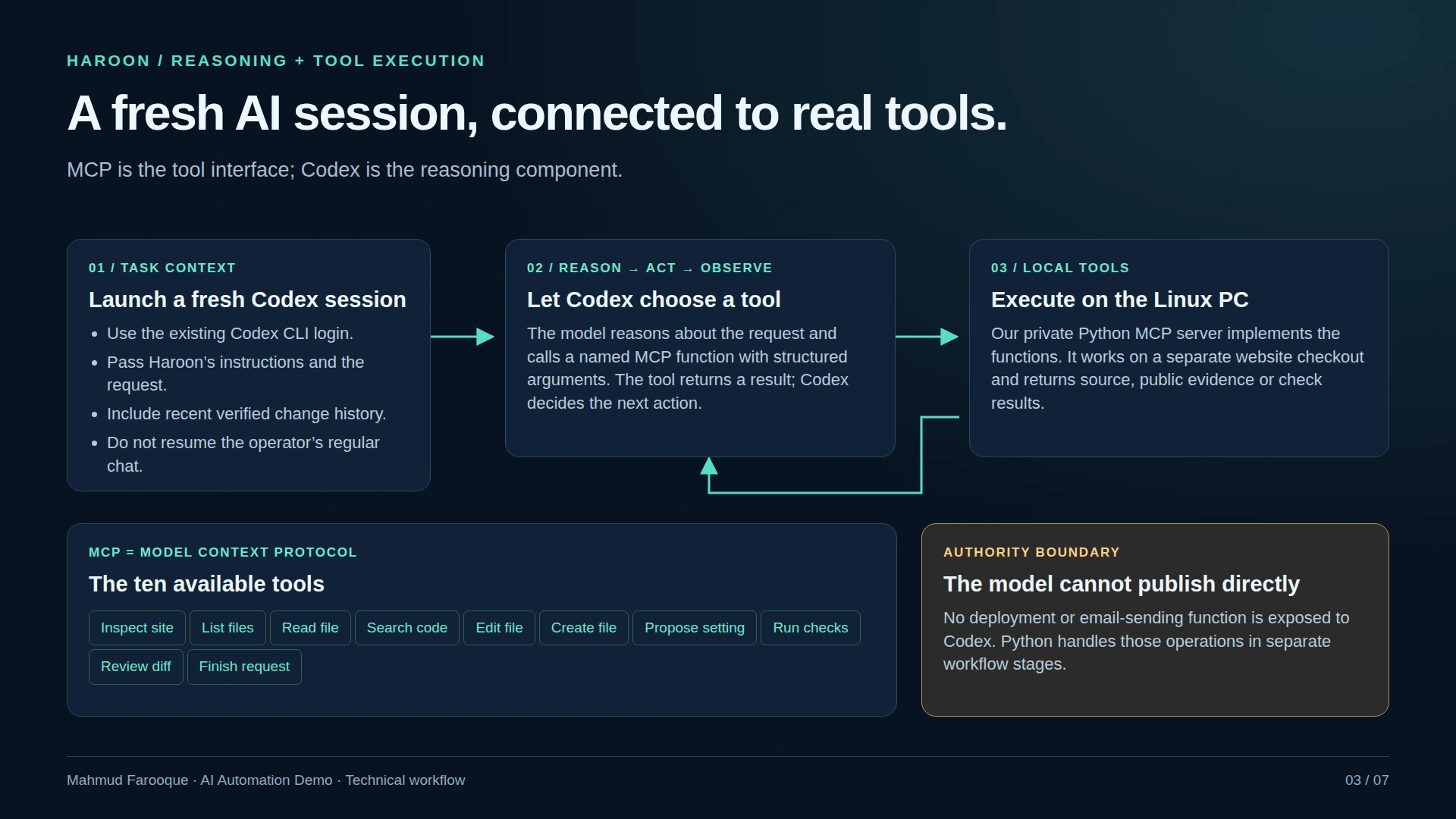
Haroon starts a fresh Codex session for each request. A private MCP server gives that session a small set of tools to inspect website evidence, locate and read source files, edit an isolated checkout, propose supported settings changes, run checks, and finish a proposal or ask for clarification.
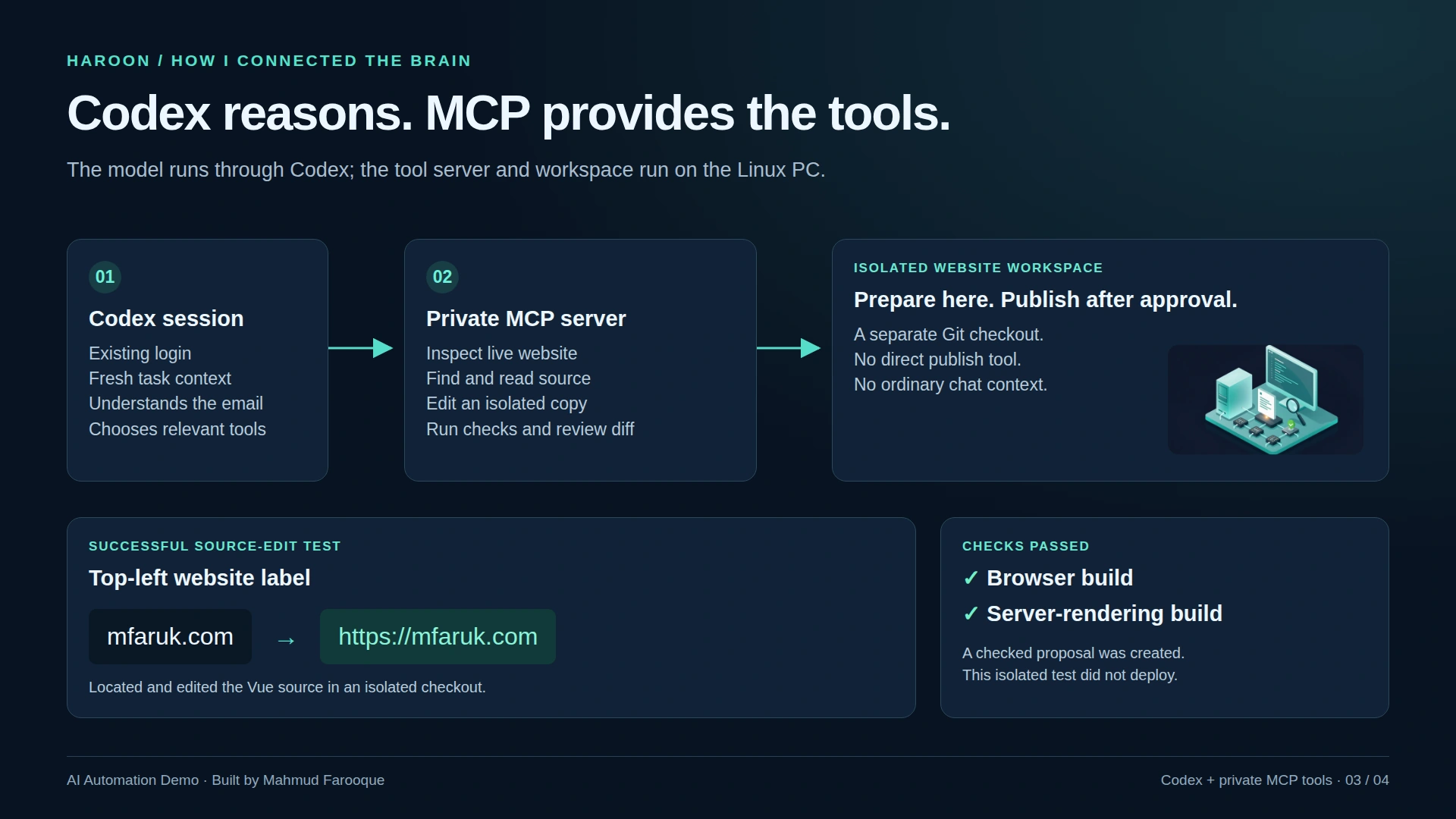
MCP is the tool interface in this implementation. The Python worker coordinates the conversation and workflow. The model receives neither a publication tool nor an email-sending tool.
Source edits happen in a separate checkout, where Haroon can review the diff and run build checks before presenting the work. Builds run in a sandbox without access to home credentials or the network.
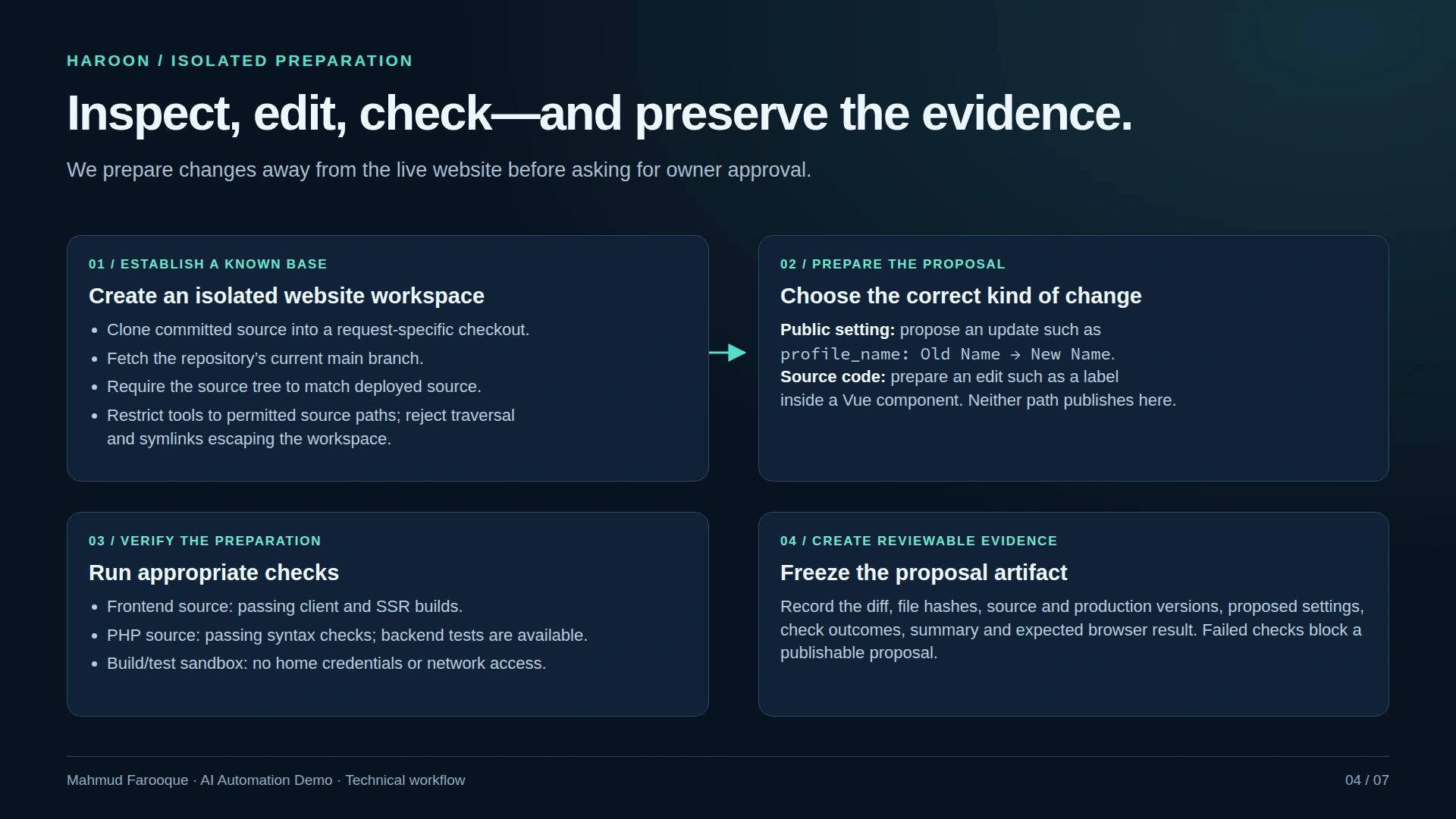
This makes a proposal something the owner can assess: an intended change, the prepared artifact, and the relevant check results.
The path from request to completion
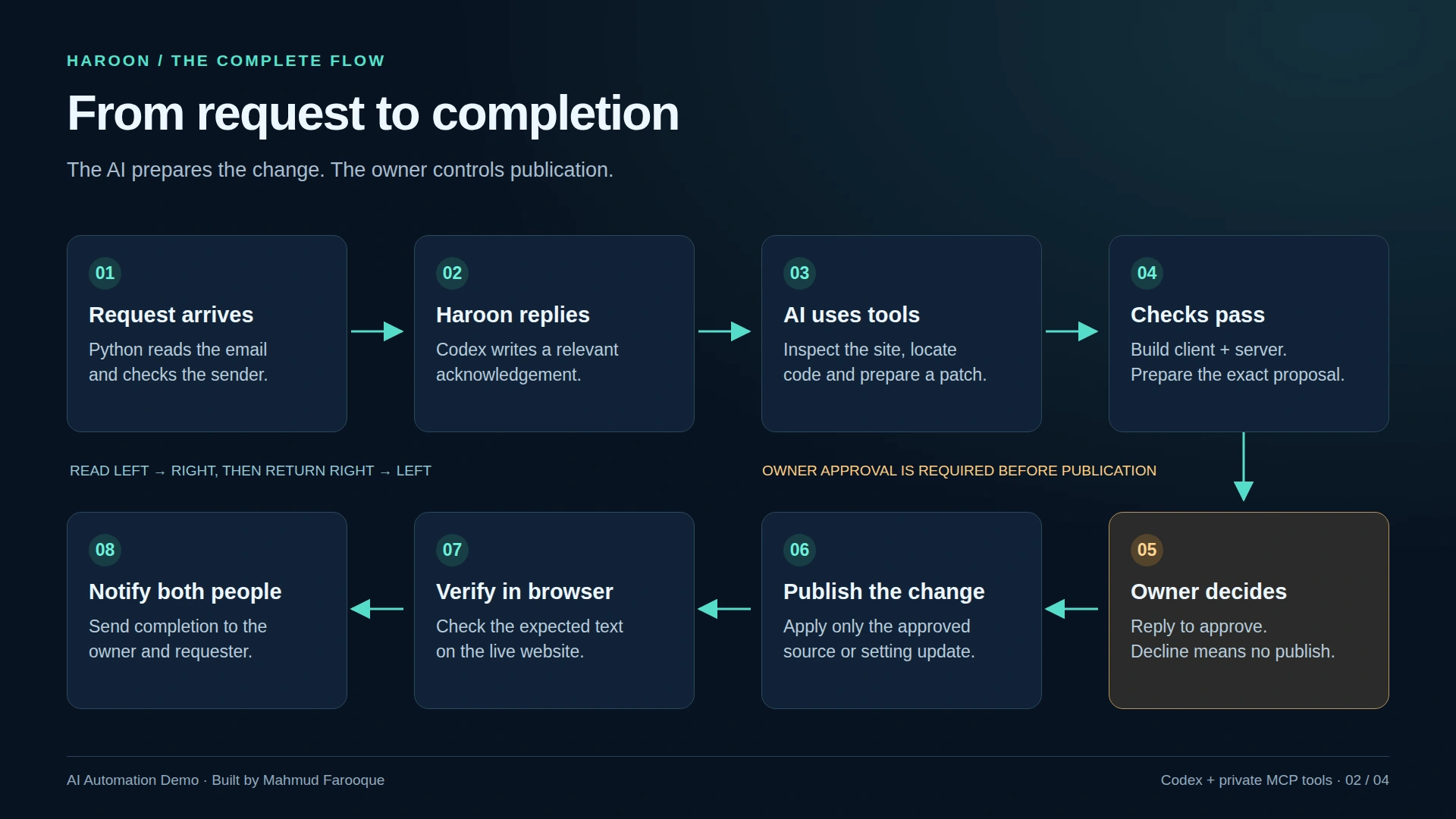
The workflow follows these steps:
- Receive a supported email request and acknowledge it.
- Interpret the request and inspect the relevant website setting or source.
- Prepare the change and run the applicable checks.
- Send the proposal to the owner.
- Validate the owner's authenticated reply to that exact proposal.
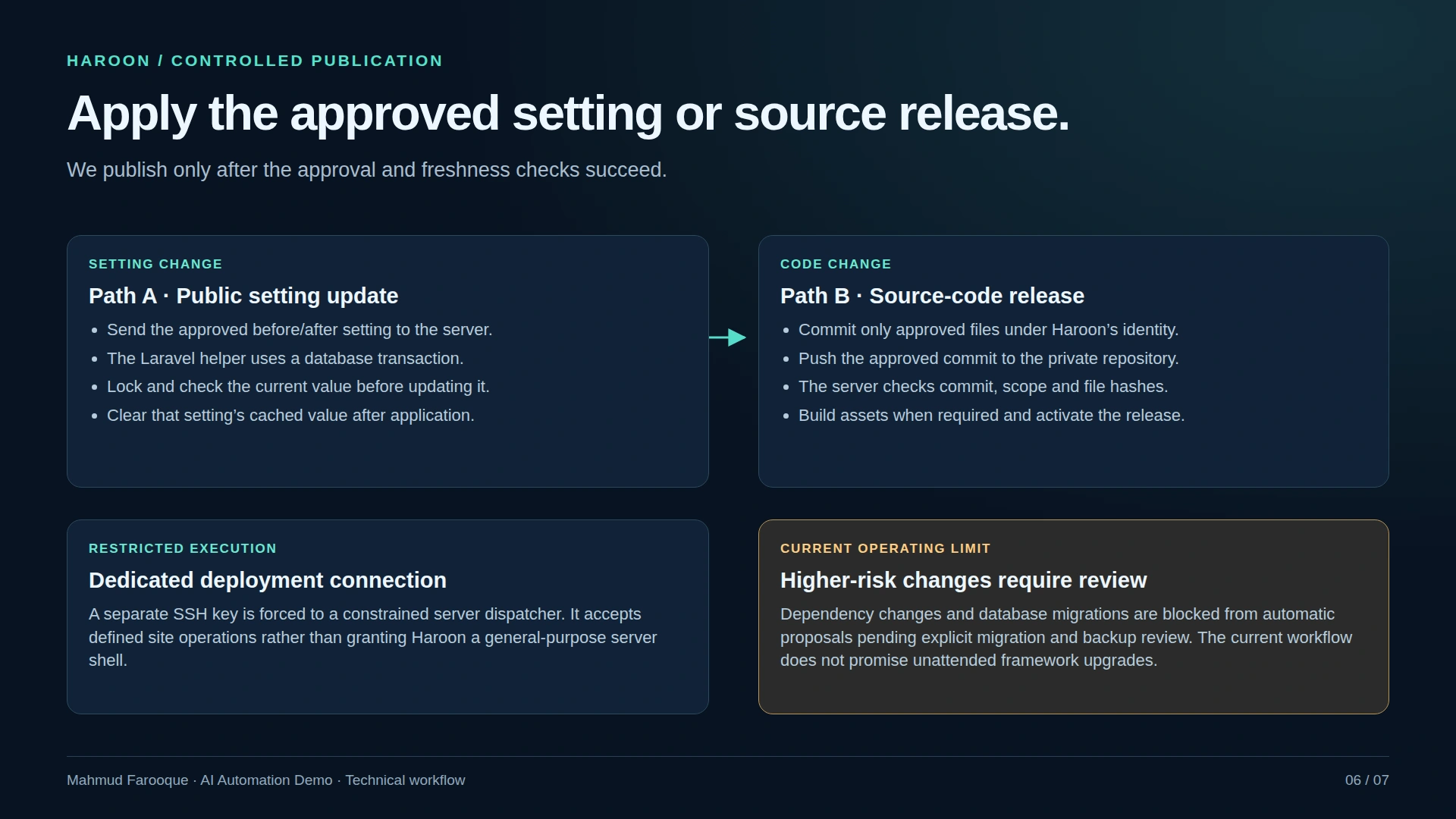
- Recheck the approved artifacts and website base before publishing through a restricted deployment endpoint.
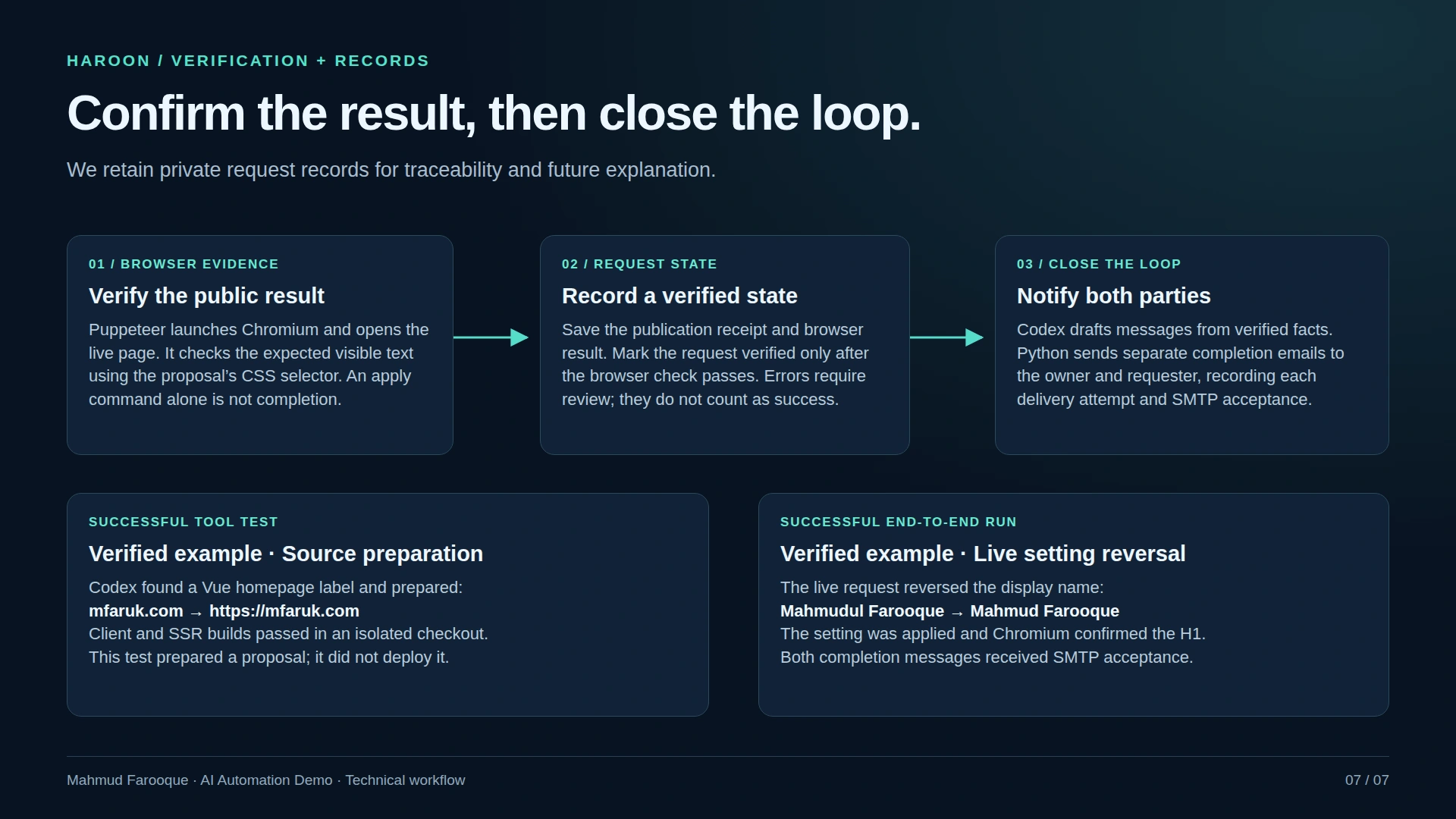
- Open the live page in Chromium and check the expected visible result.
- Send completion messages after successful verification.
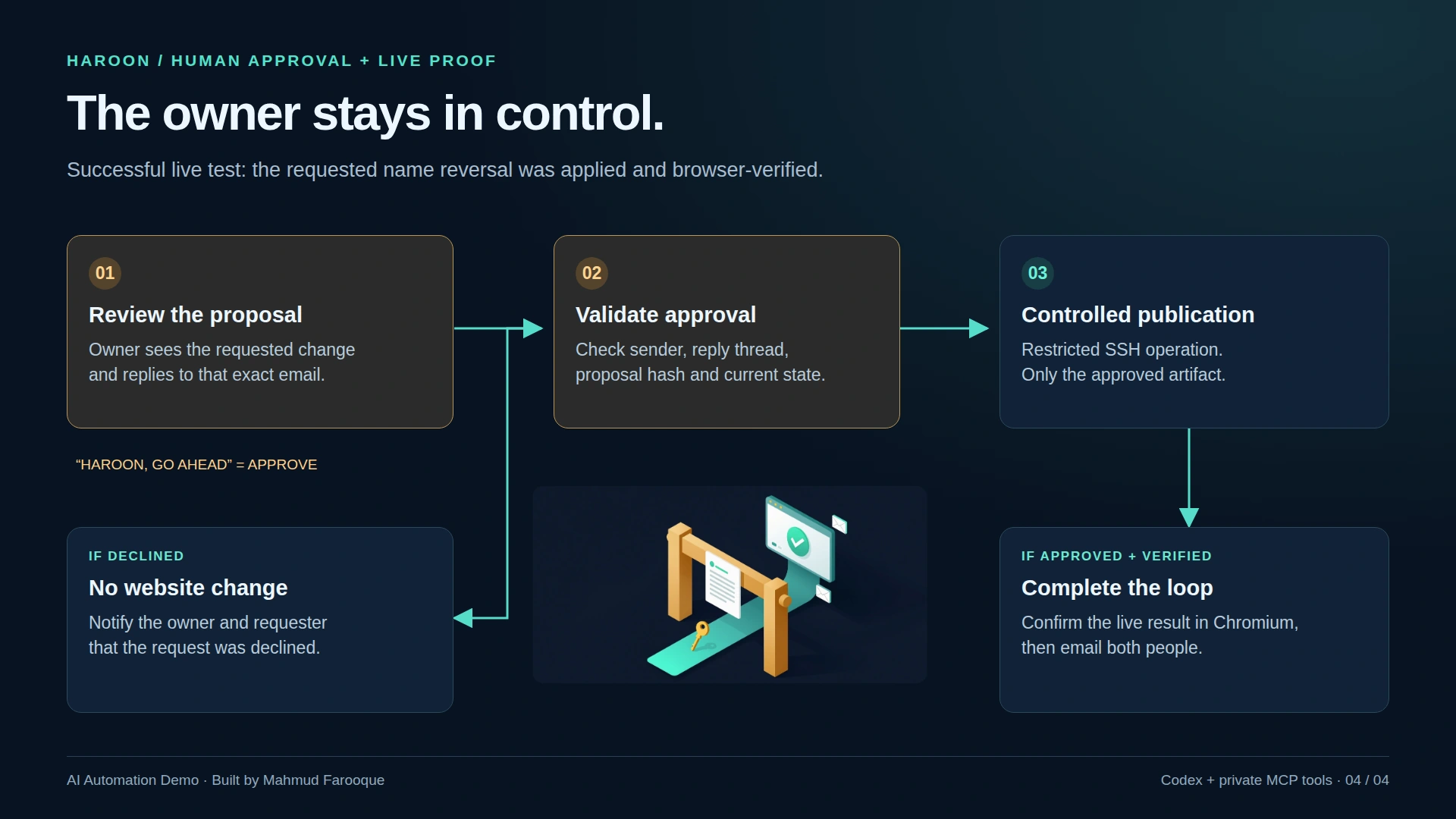
The approval is tied to the prepared proposal. The publisher checks artifact hashes and relevant base state so that a changed proposal or changed website cannot silently reuse an older approval.
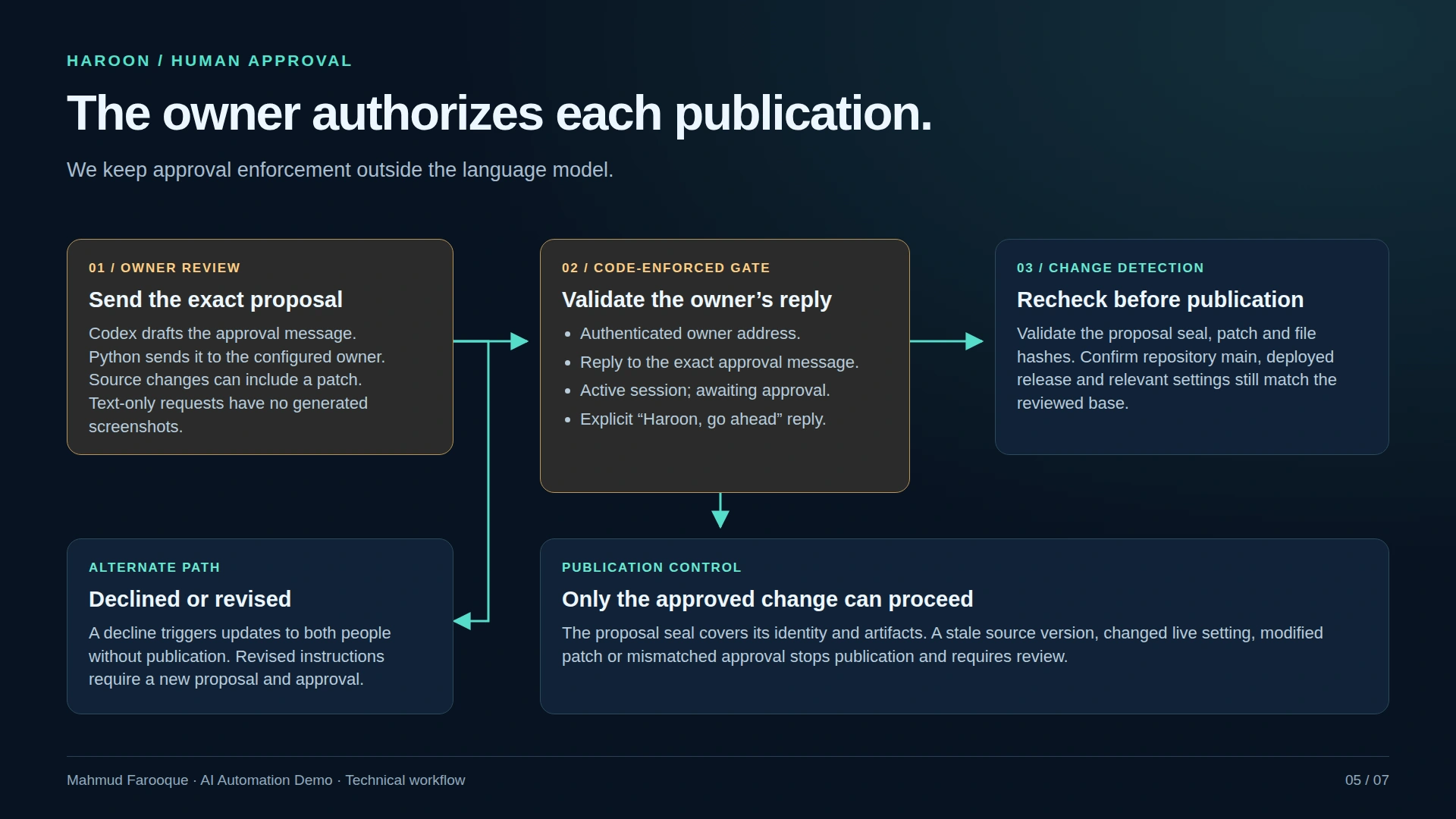
A declined proposal does not publish. Dependency and database upgrades require separate review rather than passing through the ordinary website-change path.
What the tests actually demonstrated
Two results establish different parts of the implementation.
In an isolated source-edit test, Haroon found the Vue component containing the website label and changed mfaruk.com to https://mfaruk.com. Both the client and server-side rendering builds passed. That source edit was not published.
A separate live request reversed a profile display-name change after owner approval. Its records include a publication receipt and a browser receipt confirming the expected heading. The mail server accepted completion messages addressed to both the owner and requester. SMTP acceptance confirms handoff to the mail server; it does not establish inbox delivery.
At integration, 39 automated checks passed. Those checks covered behavior including routing, duplicate handling, approvals and decline notifications, with external side effects mocked. They complement the live evidence; they do not prove every possible request can complete successfully.
What changed during development
The first prototype was too rigid. It treated the workflow as a narrowly defined name change and could confuse a website-label request with that task. A case-sensitive comparison also rejected a valid request.
Connecting the model to actual source tools made it possible to inspect the website and prepare a change based on the request. The owner approval boundary remained in the automation engine.
The running implementation uses an existing Codex CLI login, subject to that account's usage limits. A separate Platform API approach was explored but remained inactive when inference credit was unavailable. n8n is not part of this implementation.
Where the workflow still needs work
Later requests produced publication receipts but failed browser verification. Those attempts need review: a publication attempt cannot be reported as verified completion, and repeating it blindly could apply work twice. The worker also encountered connectivity failures during mailbox polling.
Recovery and monitoring are therefore the next engineering priorities. The system needs to make interrupted states clear, distinguish an unapplied proposal from an applied but unverified change, and help the operator decide the next action from evidence.
The current demo demonstrates a verified live settings change and an isolated source-edit workflow. Broader production source deployments and unattended upgrades need their own validation.
Haroon gives me a working foundation for handling website requests through email: model-assisted preparation, an explicit owner decision, controlled publication, and a browser check before claiming completion.