LabCounter: Building a Touch-First POS for Diagnostic Centres
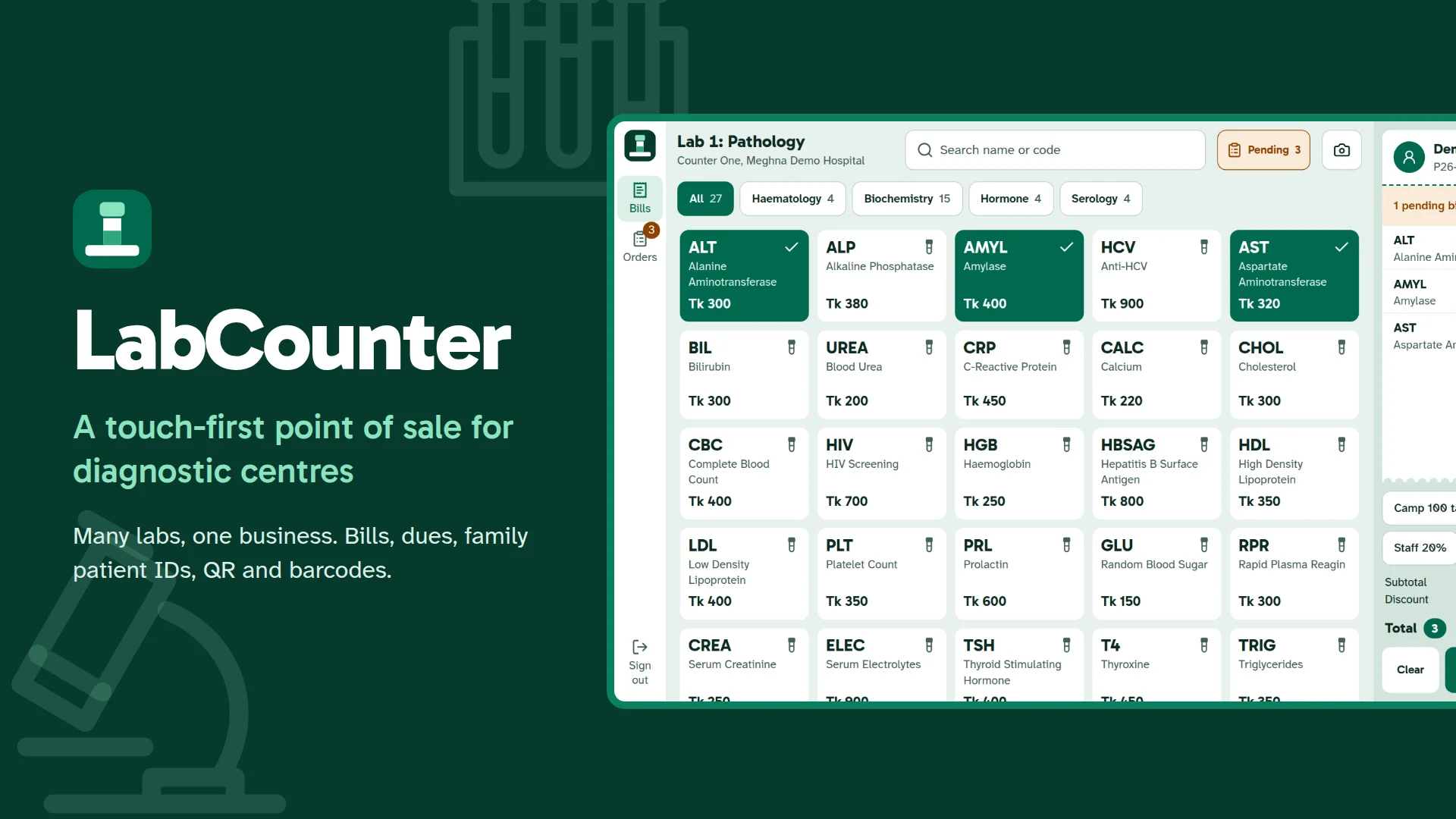
LabCounter is a touch-first point of sale for diagnostic centres: many labs, family patient IDs, pending bills, QR and barcode printing, and a planned ERPNext connection.
Walk into a busy diagnostic centre in Bangladesh at nine in the morning and watch the counter. One person asks for a CBC, the next has come back to pay last week's due, a third is booking tests for a grandmother on the family's only mobile number. Behind them the queue keeps growing. The software at that counter has one job: be fast, be right about money, and never mix up two patients.
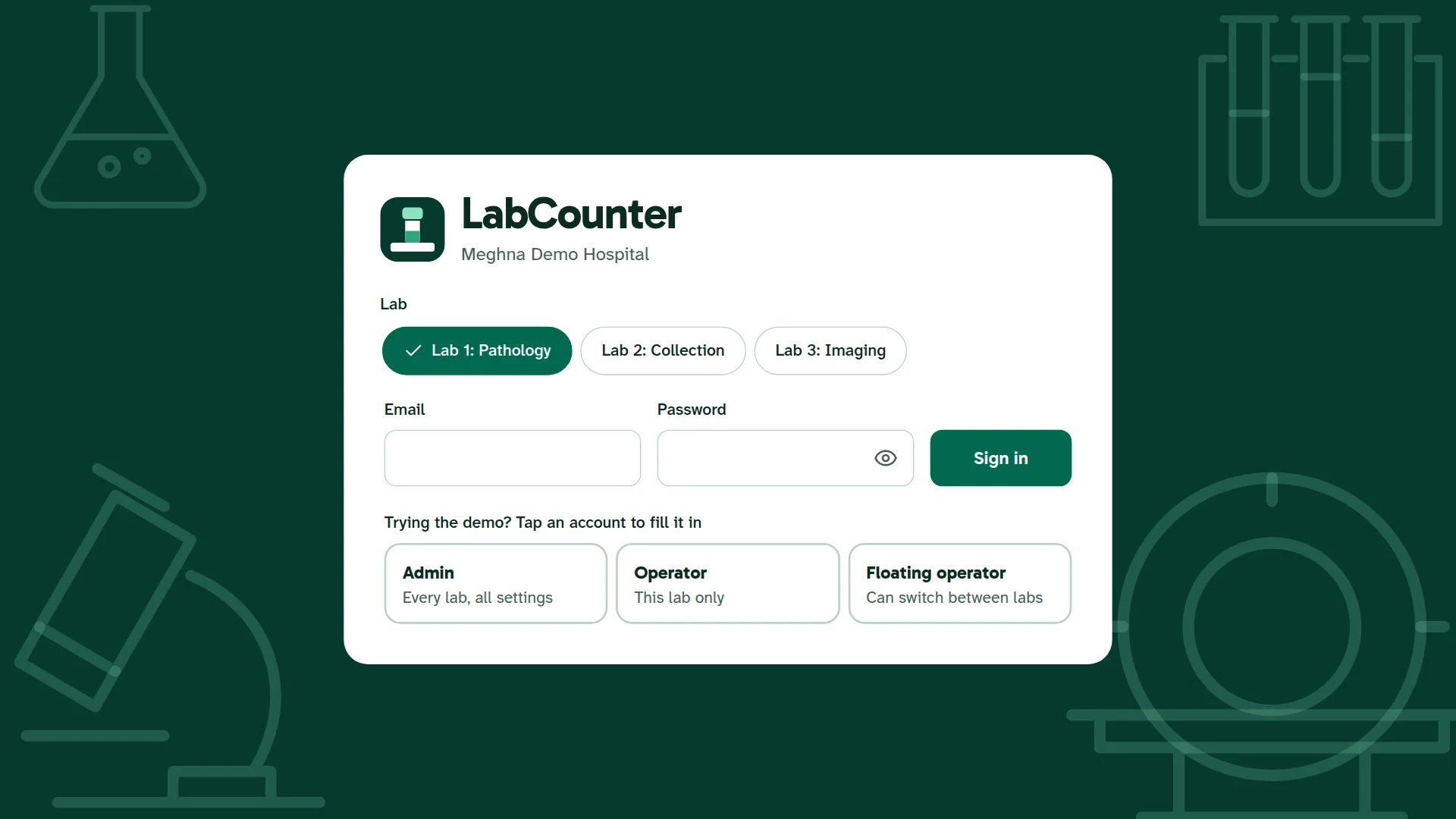
LabCounter is my answer: a touch-first point of sale for diagnostic centres, built with Next.js 16, Node.js, Express and MongoDB. One business can run any number of labs on it, and the admin decides what each lab is called, which tests it offers and who works there.
Try the live demo: labcounter.vercel.app. Choose a lab, tap a demo account and press Sign in. Please enter invented names only; it is a public demo.
How one order works
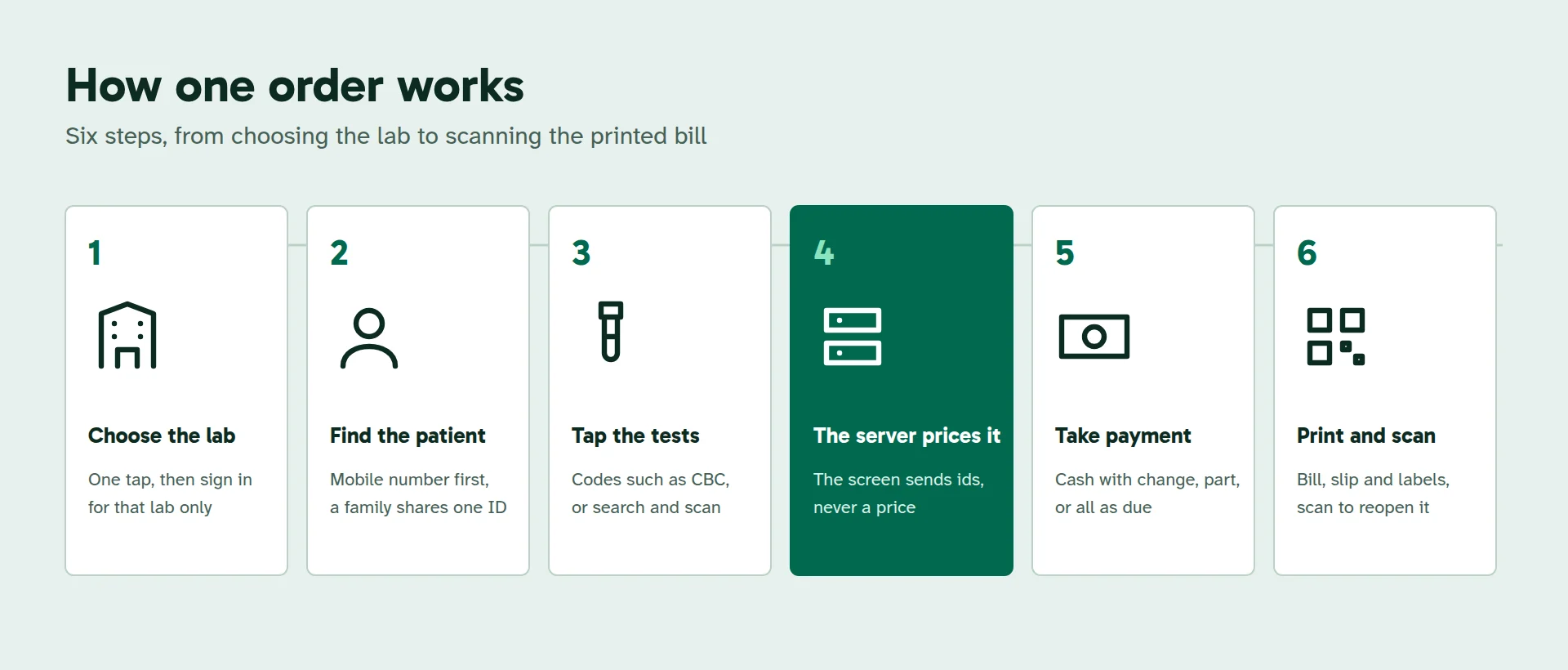
The operator chooses the lab before signing in, so every bill, payment and report belongs to the right place from the first tap. A centre with a single lab never sees the question.
A counter made for fingers
The whole sale happens on one screen. Test tiles lead with the code staff already say out loud: CBC, TSH, ALT. The bill sits beside them like a paper slip, and the total and the Pay button never leave the screen, even with fourteen tests on the bill. Every touch target is at least 48 pixels, and text never drops below 16.
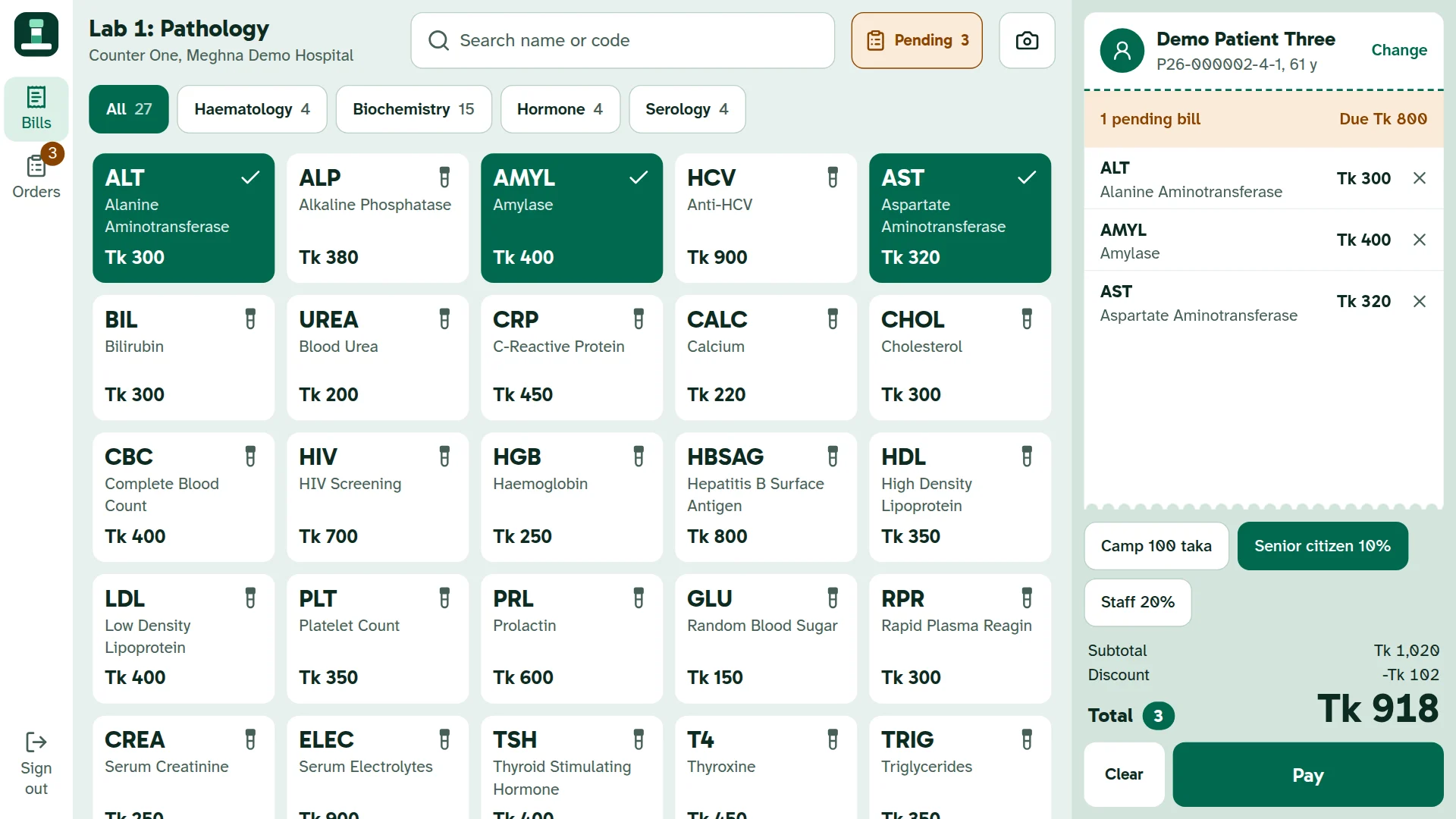
A keyboard works too. Number keys go to the right field whatever was tapped last, with NumLock on or off, and a barcode scanner works from anywhere on the screen.
One mobile number, a whole family
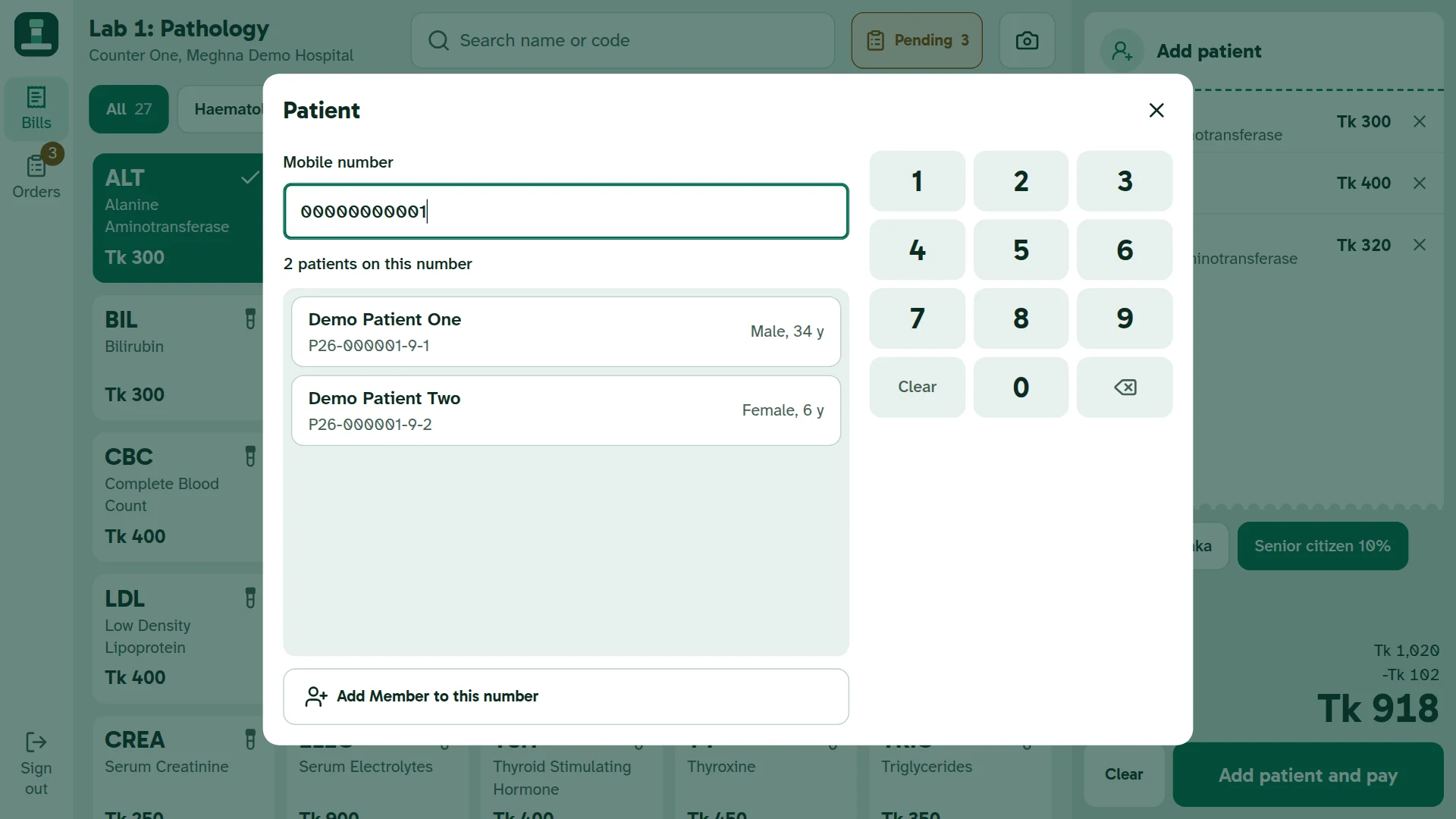
In Bangladesh one phone often serves a household, so the mobile number cannot be the patient. LabCounter gives each number a family ID, and every person on it gets a member number of their own:
P26-000123-4-1is the first person,P26-000123-4-2is the next, and so on.
The digit before the member number is a check digit that catches a single mistyped digit, or two neighbouring digits swapped. An ID is never reused and never changes. When a number passes to someone new, the old patient keeps their ID and bills, and the new person gets a new ID. Test history never moves under another name.
Money rules the screen cannot break
The browser sends test and discount ids. It never sends a price. The server works out every price, discount and total, then saves the bill, the payment and the record of who did it in a single database transaction.
- Invoice numbers have no gaps and no repeats, even when several counters save at the same moment.
- A double tap never makes two bills. Retrying the same order after a lost connection returns the first one.
- Two counters can never collect more than the balance, even if both press the button together.
- Old bills never change when the admin changes a price.
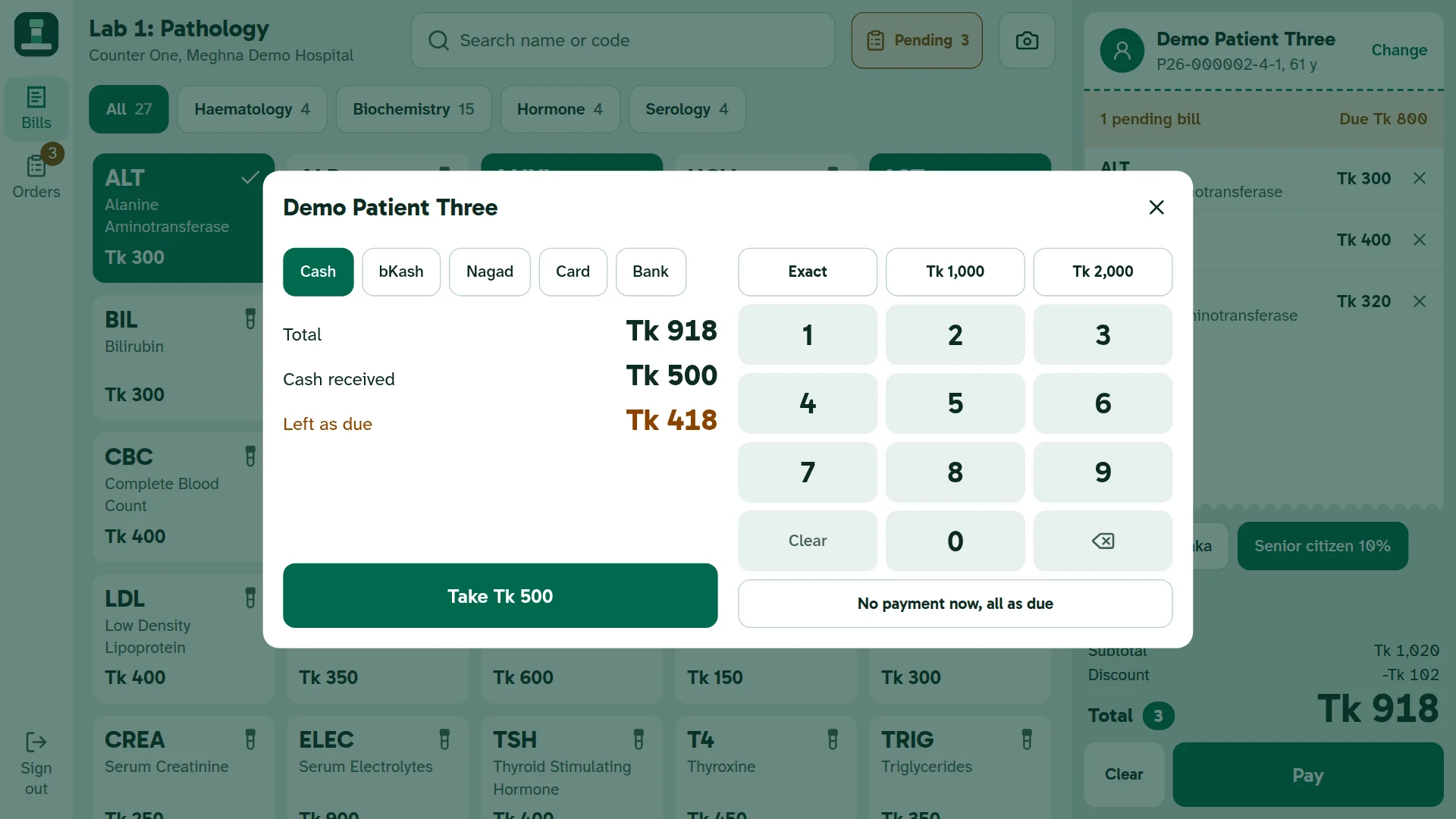
A pending bill can be pulled up, edited, checked, confirmed and paid. Tests already on it keep their price, the total can never go below what is already paid, and every change stays on the bill with a name and a time. Once it is fully paid, it is closed.
Print it, then scan it back
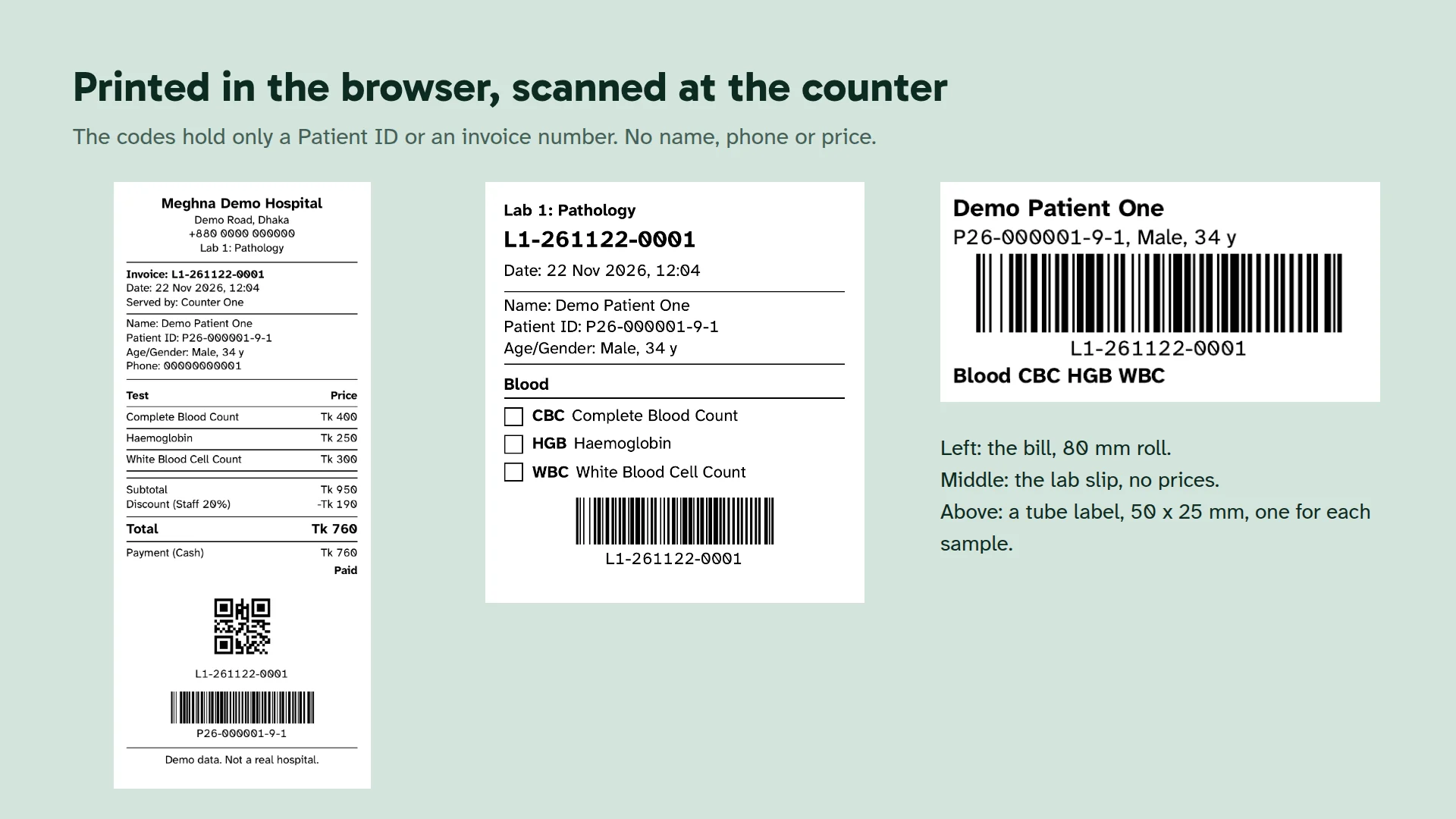
Each order prints a bill on an 80 mm roll or A5, a lab slip without prices, 50 x 25 mm tube labels and a blank A4 report sheet. QR codes and Code 128 barcodes are drawn in the browser, so no outside service sees them, and they hold only a Patient ID or an invoice number.
How it is connected, and where ERPNext comes in
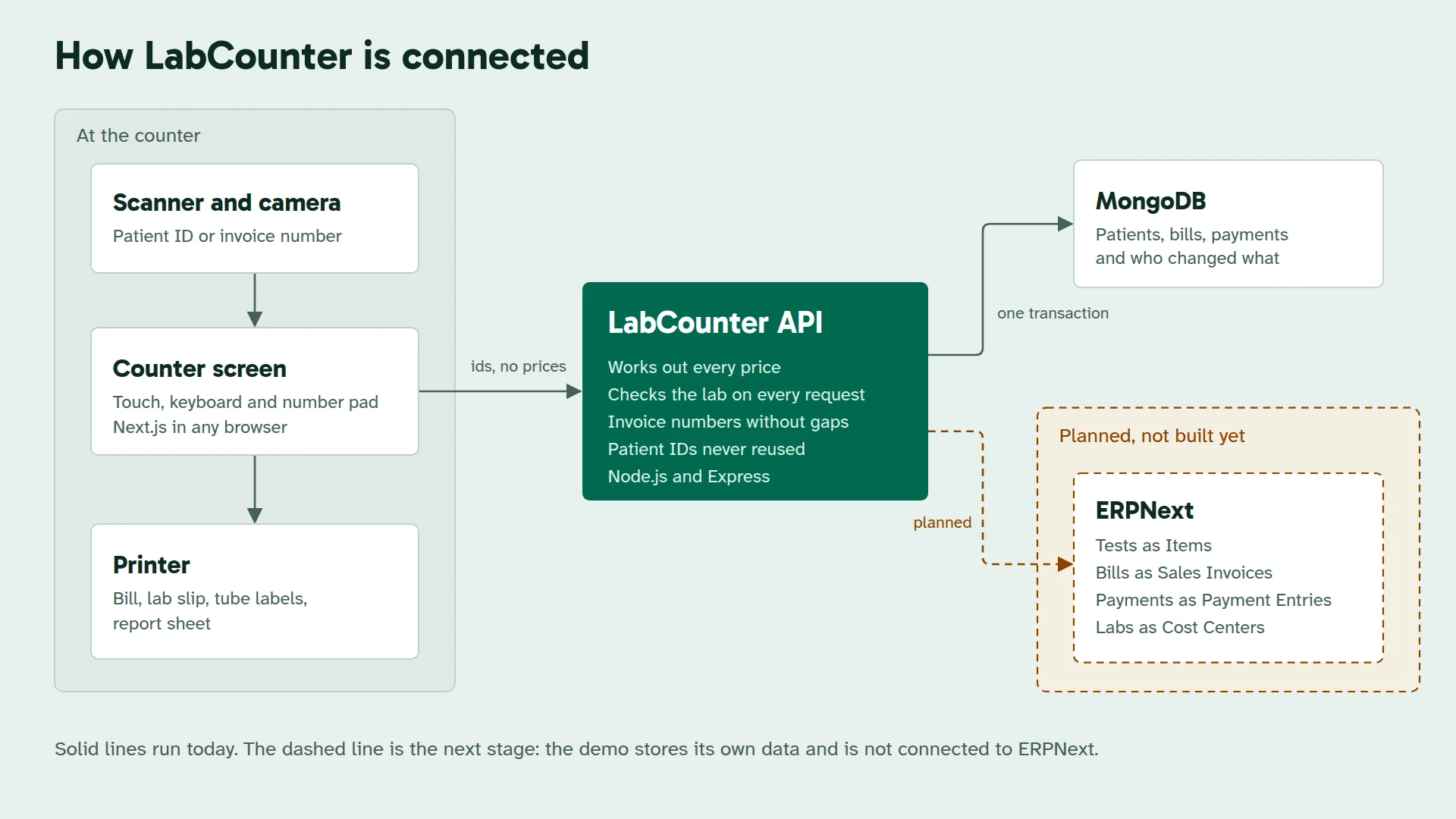
Today LabCounter keeps its own records in MongoDB. The next stage I am planning is a connection to ERPNext, so that the counter stays fast while accounts, stock and reports live in the ERP. It is not built yet, and the demo is not connected to ERPNext. This is how the records would map:
| In LabCounter | Planned in ERPNext |
|---|---|
| Test and price | Item and Item Price |
| Patient | Customer |
| Bill | Sales Invoice |
| Payment | Payment Entry |
| Lab | Cost Center |
The server already works out every price in one place and gives every bill and payment a unique record. That is the groundwork an ERP connection needs, so it can be added without redesigning the counter.
For the admin
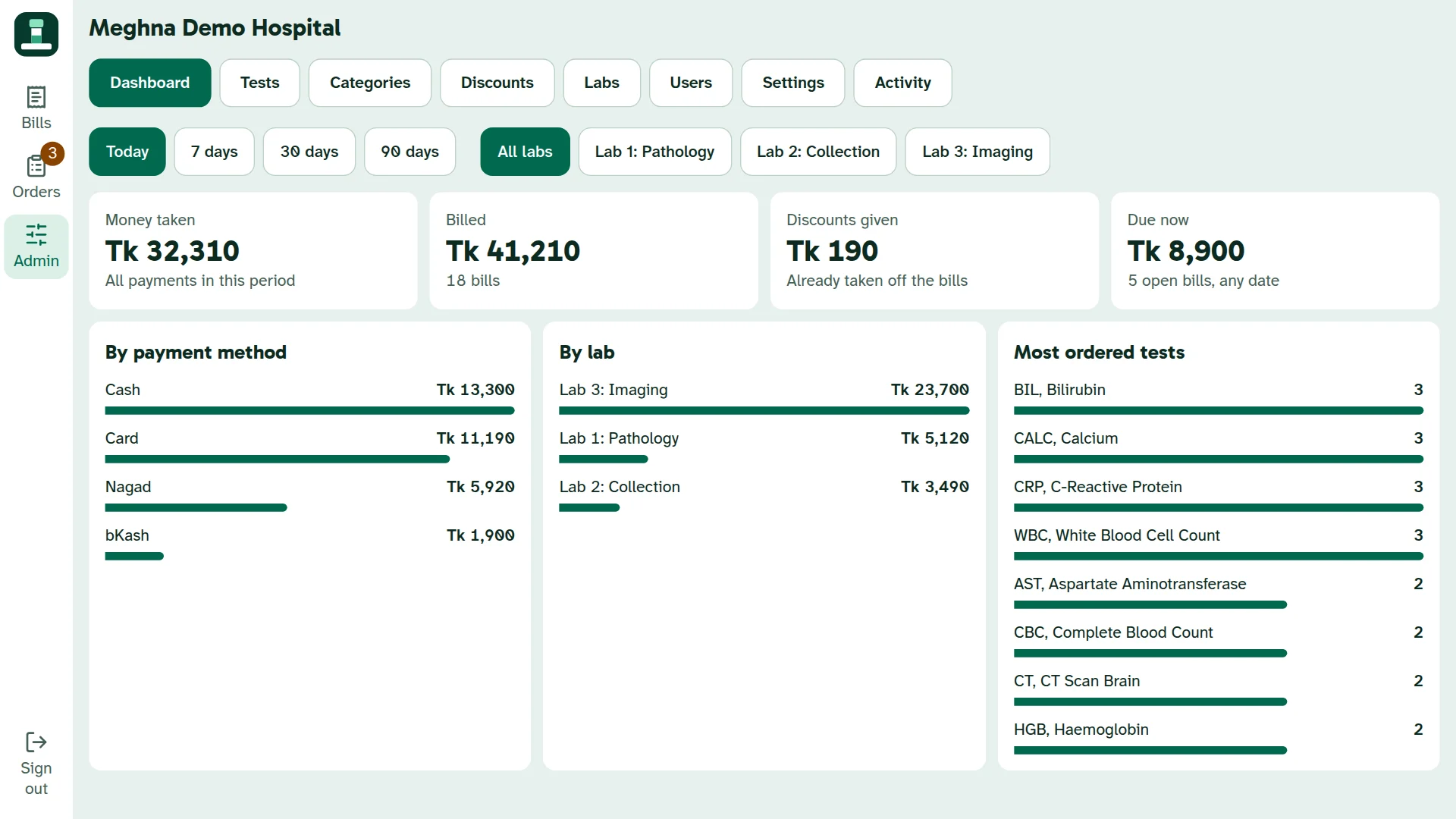
The admin creates labs, tests, categories, discounts and users, sets a limit on discounts, and decides whether operators may edit pending bills or replace a patient on a number. The dashboard shows money taken, billed and due, per lab, payment method and test. The activity page shows who did what, and when.
Tested like money depends on it
LabCounter ships with 76 server tests and 427 browser checks. They cover things people really do: triple taps, two admins acting at once, sixty bills in the same moment, junk in every field, and a connection lost just after a bill was saved. Barcodes are read back from the real print output by a separate decoder, and 22 checks cover accessibility.
One lesson came from measuring. Signed-in requests took about 1.4 seconds. The code was fine: the API was running in the United States while its database was in Mumbai. Moving the API next to the database brought it down to about 0.09 seconds.
What it does not do yet
Results are written on the printed report sheet by hand, there is no refund or stock module, and printing and scanning have been tested in software but not yet on real printers and scanners. I would rather list that here than have you find out.
Frequently asked questions
Can a diagnostic centre with one lab use it?
Yes. With one lab there is nothing to choose, and the sign-in screen goes straight to that lab.
Can several patients share one mobile number?
Yes. They share a family ID, and each person has their own Patient ID with a member number.
Does LabCounter work with ERPNext?
Not yet. The connection is planned and the records are mapped, but today LabCounter uses its own MongoDB database.
Which payments does it support?
It records cash, bKash, Nagad, card and bank payments, in full, in part or collected later. It does not charge cards or wallets itself.
Do I need special hardware?
No. It runs in a browser on a touch screen, tablet or PC. Barcode scanners that act as a keyboard are supported, and a tablet camera can scan too.
Running a diagnostic centre or a hospital counter? Try the demo, then tell me how your counter works.